
PinPoint, the website feedback tool by Avalanche Creative
Clients and teammates click anywhere on a live site and leave a comment right on the spot. The exact element, the page, the device size and a screenshot come attached automatically. No accounts for reviewers. One line to install.
No credit card. Pro is $99 a year for 10 sites.
Works with WordPress, Webflow, Squarespace, Shopify, static sites, React, Vue, Next.js and anything else that serves HTML.
The blue button. No, the other blue button.
Reviewers describe what they see. Developers guess what they meant. Everyone loses a day.
Here's a screenshot.
Of what page? At what width? With what text? A cropped image with no context is a riddle, not a ticket.
It's broken on my phone.
Which phone, which page, which element? And can you reproduce it? Usually not.
PinPoint captures the element, the page, the viewport, the text and styles the reviewer was looking at, and the screenshot they pasted. Automatically, every time. Your developer opens the comment and already knows exactly what to change.
Install the WordPress plugin, or paste a single script tag into any site. Nothing changes for normal visitors. The feedback layer only appears for people who open your private PinPoint link.
<script defer src="…/markup.js" data-project="acme"></script>
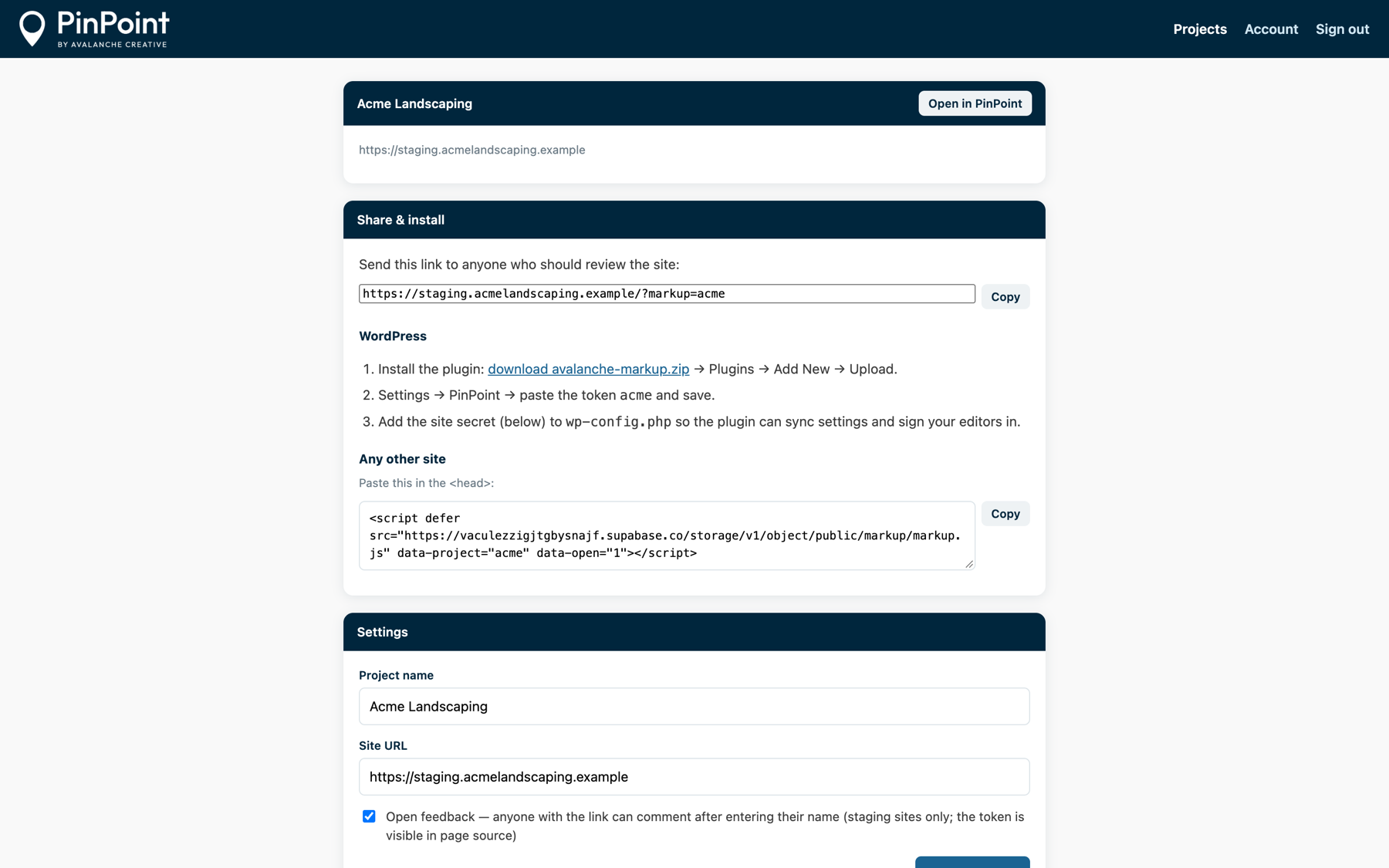
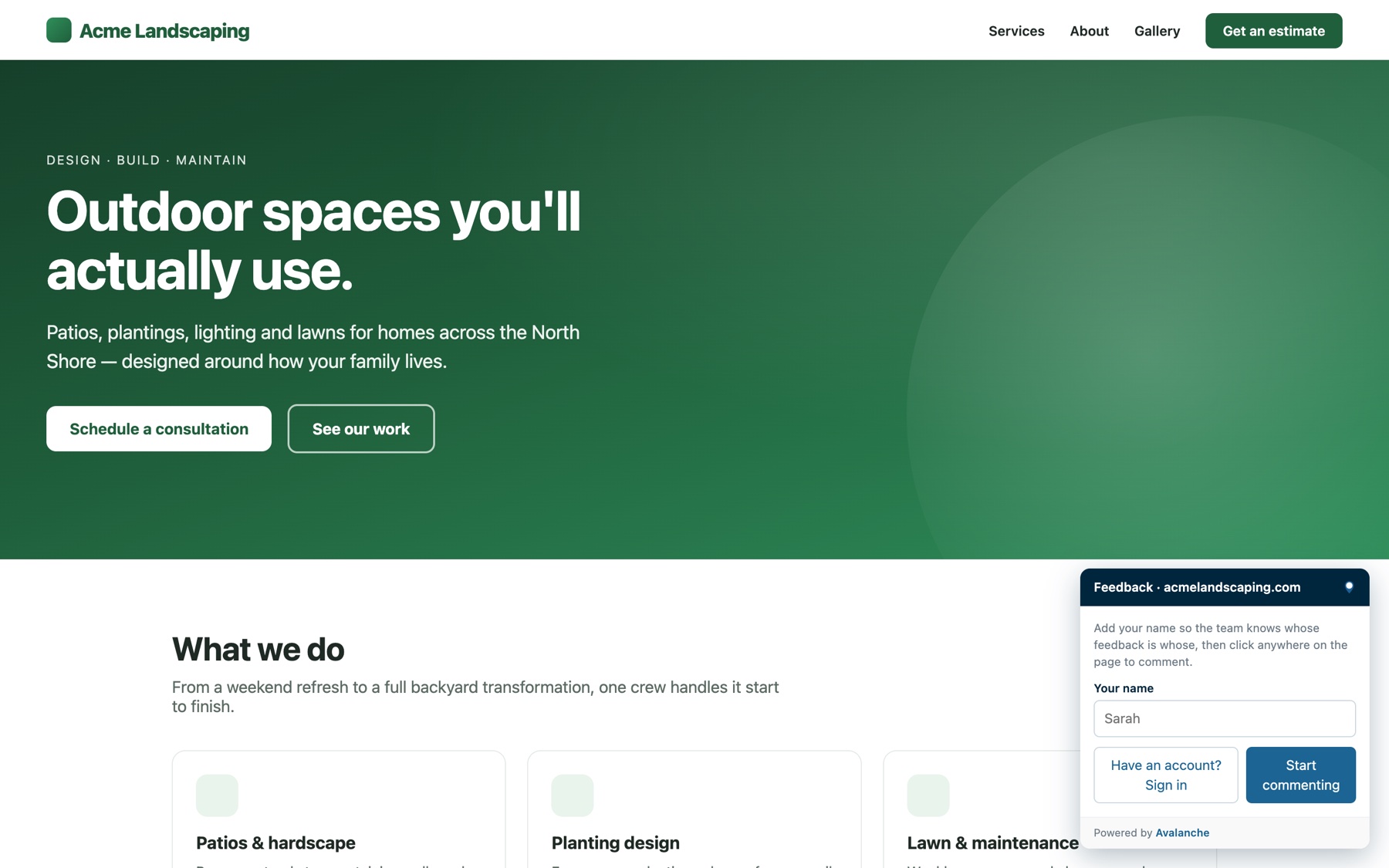
Send yoursite.com/?markup=acme. Clients and stakeholders enter a name and start clicking. No account and no password. Prefer tighter control? Turn open feedback off and invite specific people instead.
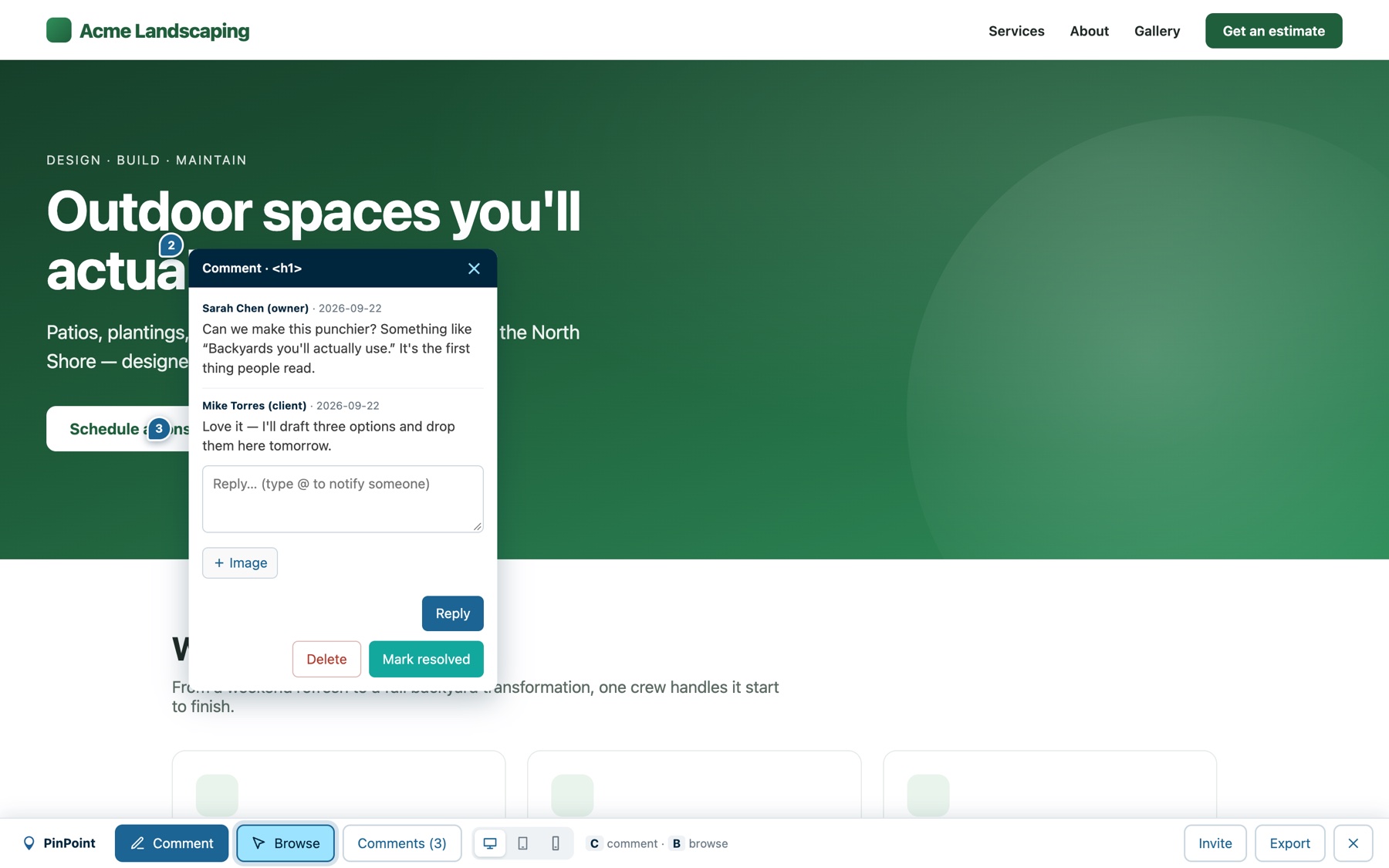
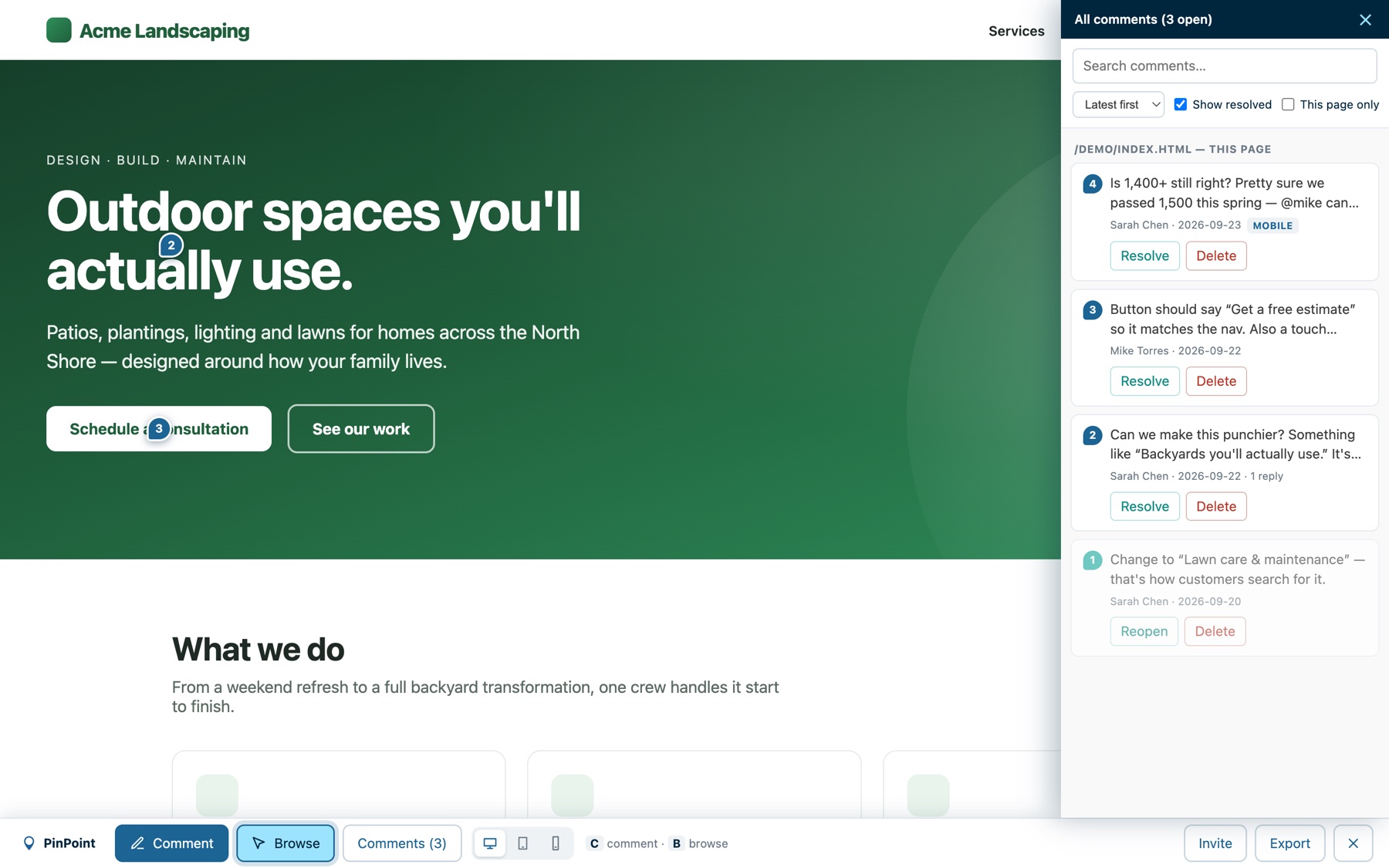
Every comment is pinned to the element itself and carries the selector, current text and styles, the page and the viewport it was made at. Threads keep the conversation in one place, and mentions send an email with a link back to the spot. Mark items resolved as you go.
One click exports every open comment as Markdown, grouped by page, with the selector, the current text and styles, the device width and the requested change.
Paste it into Jira, Linear, ClickUp, Notion or GitHub Issues. Or hand it to Claude Code, Cursor or any AI coding assistant: the export carries each item's ID and a project key, so the assistant can reply on an item and mark it resolved when the change is made. JSON export is there for scripts.
Exported Markdown
We built PinPoint for our own client reviews at Avalanche Creative, then made it a product. Every feature exists because we needed it on a real project.
Click any element. The pin stays attached to it even as the page changes around it.
Attach an image, or paste one straight from the clipboard into the comment.
Reply in place. Tag a teammate and they get an email that opens the comment.
Preview the page at each size and comment there. The device width is recorded on every pin.
Open feedback lets anyone with the link comment by name. Or keep it invite-only.
Choose who hears about new feedback on each site. Never emailed about your own comments.
All open items, grouped by page, with selectors and device sizes. Paste into your ticketing tool or an AI assistant.
Exports carry item IDs and a project key, so Claude Code or Cursor can reply on an item and mark it resolved when the fix lands.
Mark items done, hide resolved pins, and see at a glance what's still open.
Each site is its own project. Reviewers only ever see the project whose link they hold. Tokens can't be listed or guessed in bulk.
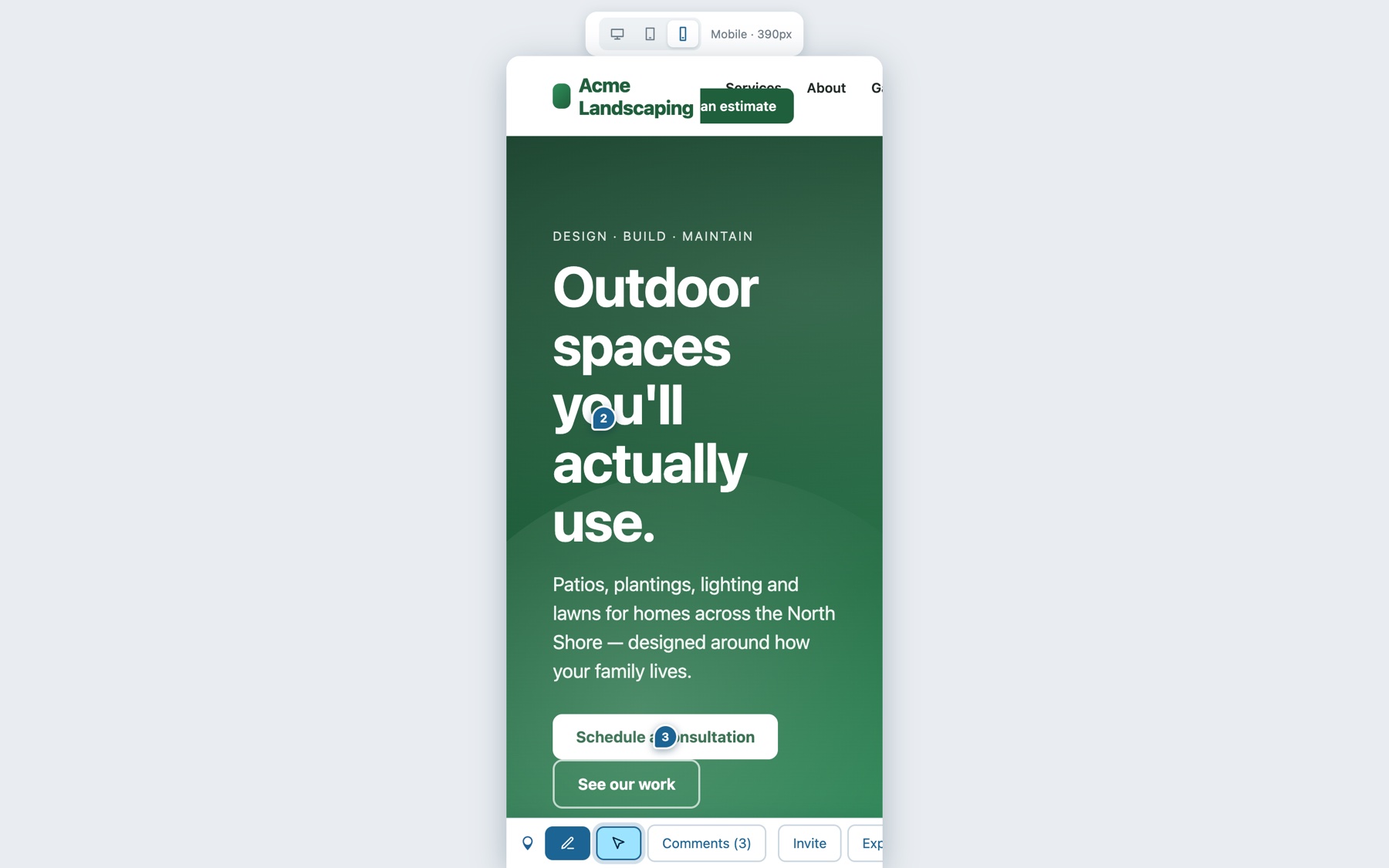
Switch to tablet or mobile from the toolbar and the page reflows inside a real device frame. Comments made there are tagged with the width, so the developer opens the same layout the reviewer saw.
Create a project, get your share link and install snippet, invite collaborators, choose who gets notified, and manage your plan from a simple dashboard. Sign in with a code we email you. There's no password to remember.
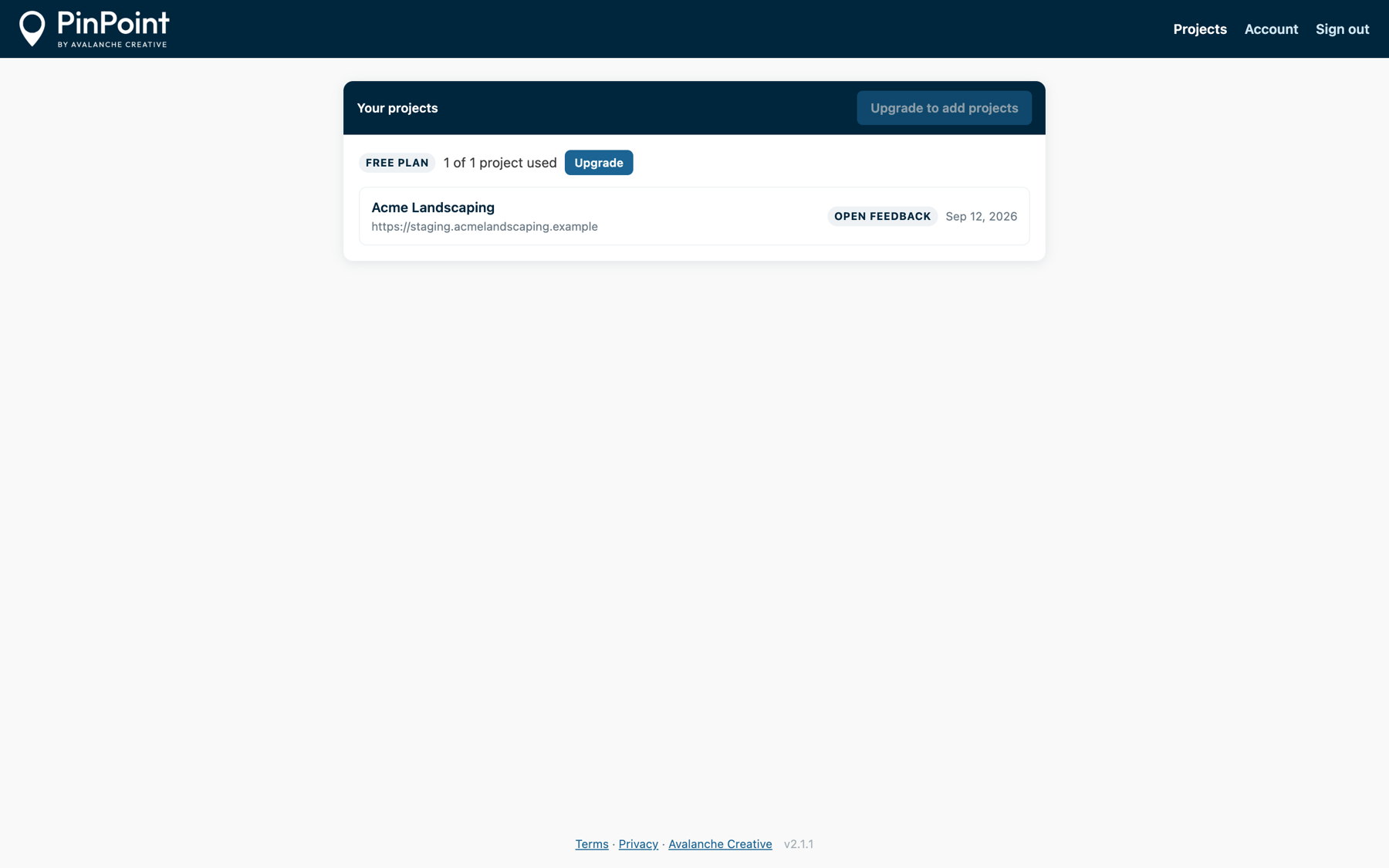
Run every client review through one link per site. Ten projects on Pro covers a full roster of active builds and staging sites.
Look organized without a project-management stack. Your client clicks, you fix, you mark it resolved. One site is free forever.
Let marketing, legal and leadership review the staging site without a login, and hand engineering a clean list instead of a Slack thread.
No per-seat pricing, no limits on comments or reviewers. Pay for the number of sites you're reviewing.
If a Pro plan lapses, your oldest project stays live and the rest become read-only until you renew.
No. With open feedback on, anyone with your link types their name and starts commenting. If you'd rather control who gets in, invite specific email addresses and they sign in with a one-time code. Still no password.
Never. The feedback layer only loads for visits that include your private ?markup= link. Everyone else sees your site as it is.
Yes. The WordPress plugin is the easiest install, but the same one-line script tag works on Webflow, Squarespace, Shopify, static sites and custom apps.
No. The script only does anything when the PinPoint link is used, and the whole interface lives in its own isolated layer, so your site's styles and the feedback tool never interfere with each other.
In our hosted backend, isolated per project. Only a project's owner, its invited collaborators and, for open-feedback sites, people holding the link can see it. Avalanche staff can access projects for support, which is disclosed in our privacy policy.
Your oldest project keeps working on the free plan and extra projects switch to read-only. Nothing is deleted, and re-subscribing unfreezes them instantly.
Avalanche Creative, a web design and marketing agency. We built PinPoint for our own client reviews and use it on every site we ship.
Your first site is free, forever. Set it up in the time it takes to read this page.
Create your free project