
Stop describing the bug. Point at it.
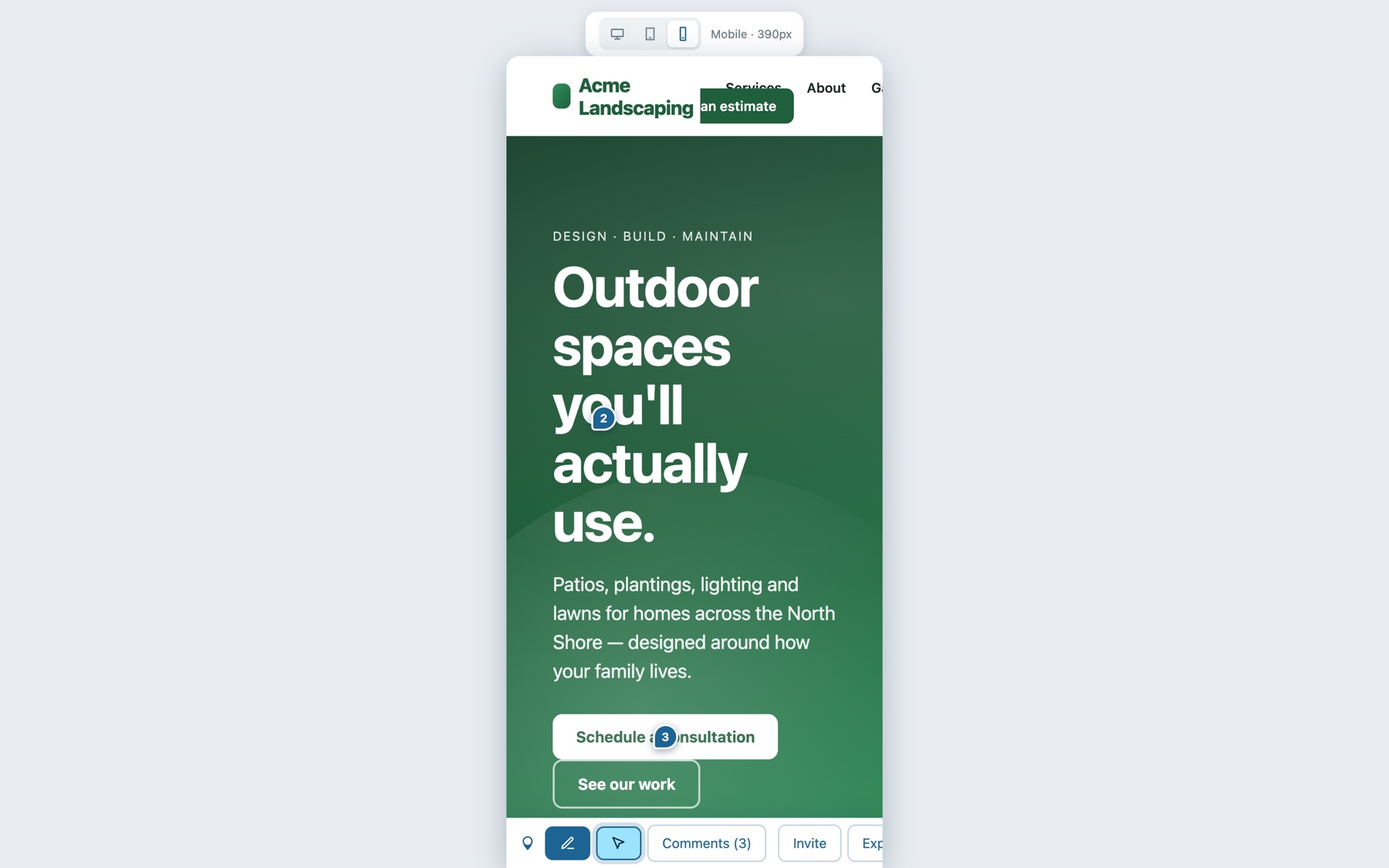
Click anywhere on your live site and leave a comment on the spot. The element, page, screen size, a screenshot and the reviewer's browser details come along automatically. Reviewers don't need an account. You add one line of code. When it's time to fix things, copy the feedback as Markdown and hand it to your AI coding assistant to update the site.
 WordPress
 Webflow
 Squarespace
 Shopify
 React
 Vue
 Next.js
 HTML
Feedback by email is a scavenger hunt.
Three steps. Zero training.
Regular visitors never see a thing. The feedback layer only loads for people who open your private link.
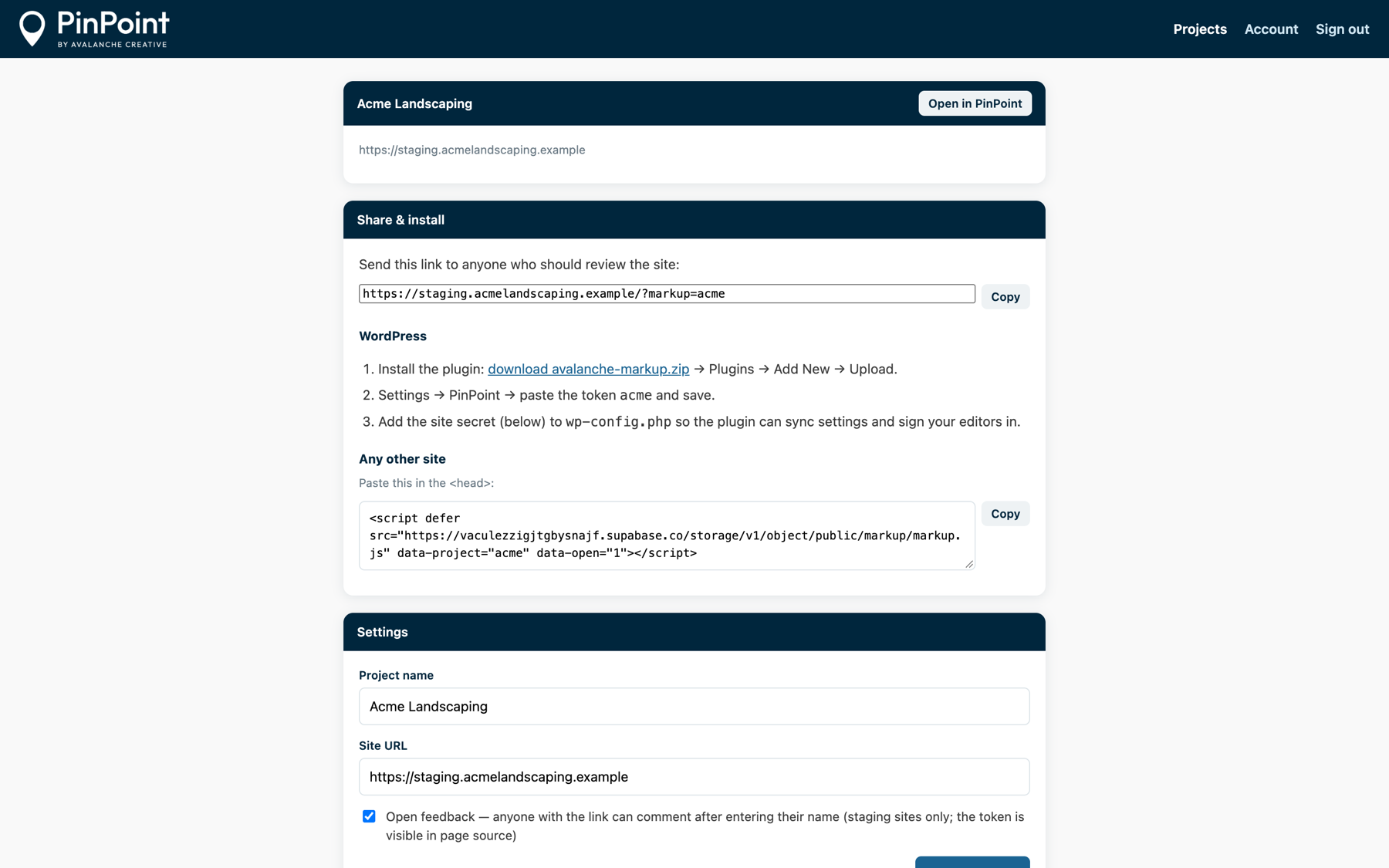
Add one line to your site
Install the WordPress plugin, or paste one script tag into any site.
<script defer src="…/markup.js" data-project="acme">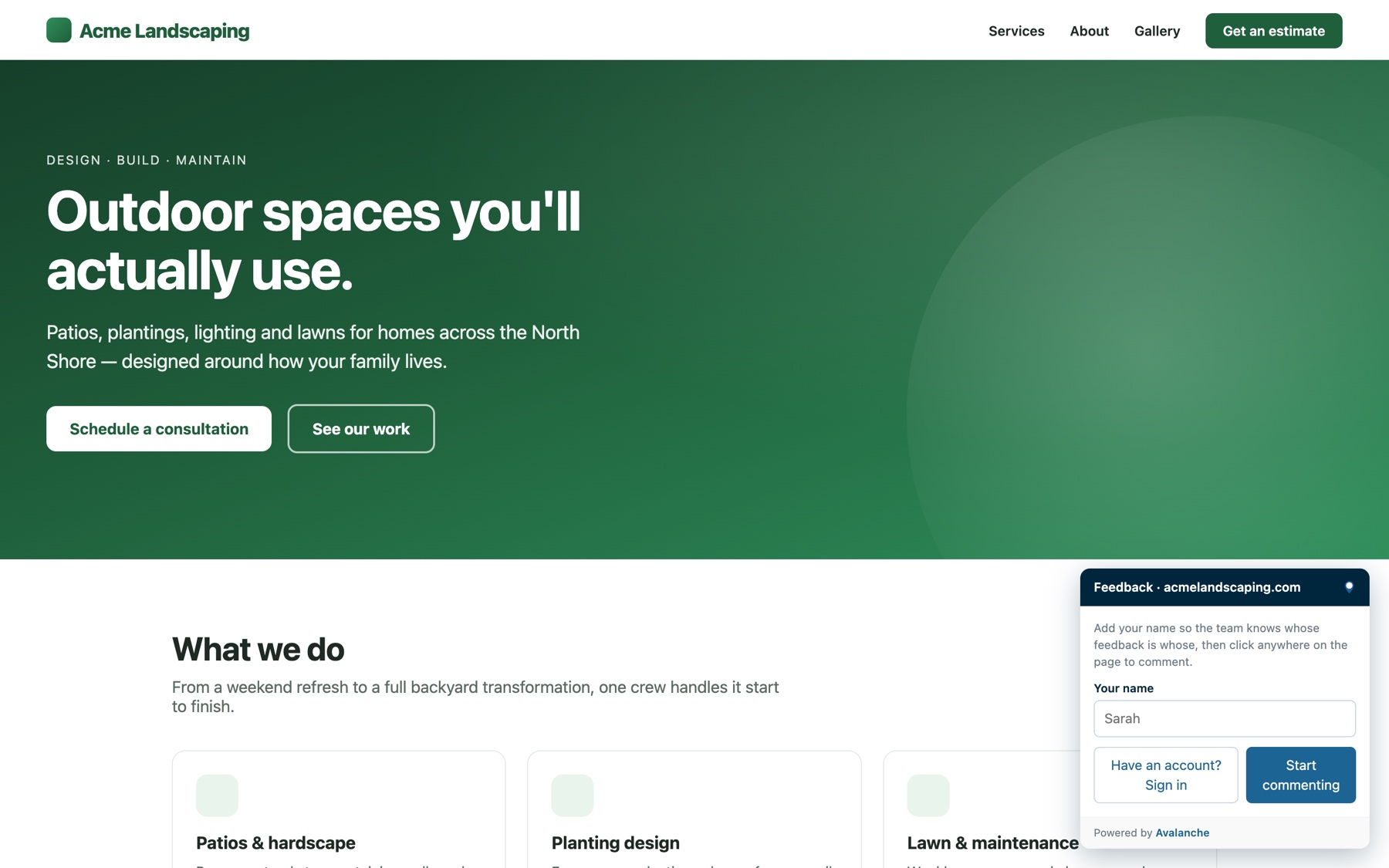
Share the link
Reviewers type their name and start clicking. No account or password. Want tighter control? Invite specific people instead.
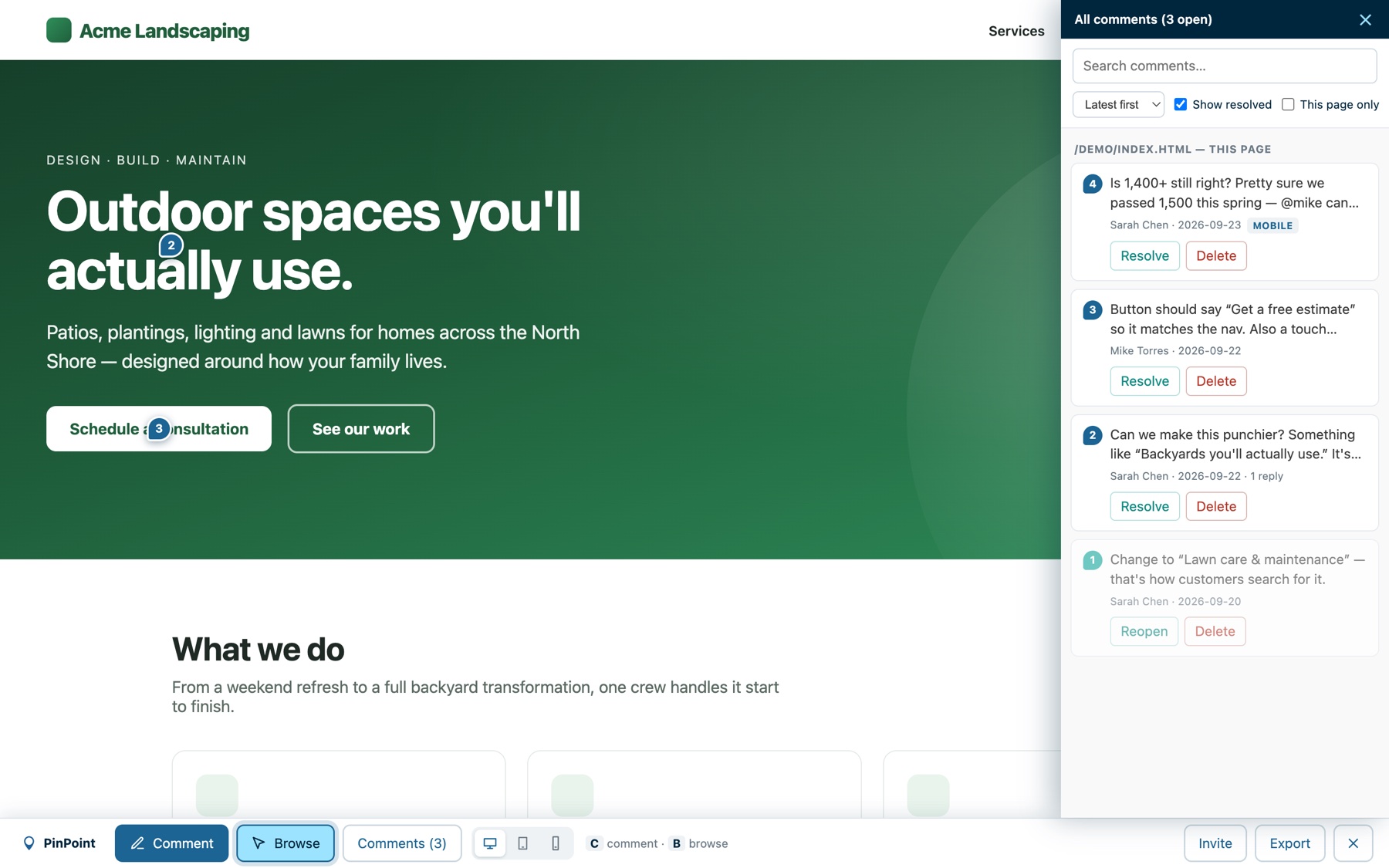
Fix it with full context
Each pin carries its selector, text, styles, page and viewport. Reply in threads, @mention teammates, set a status, assign it to someone, mark it resolved.
A ticket that writes itself.
One click exports every open comment as Markdown, grouped by page, with selectors, device widths and the requested change. Paste it into Jira, Linear, ClickUp, Notion or GitHub Issues.
“Can we make the button green?” Answered on the spot.
Give PinPoint the site's design system and every style request gets checked before anyone touches the site. Colors, buttons, type sizes, spacing and contrast are measured against your rules, so the site stays on brand however many people ask for changes.


Works on any site. Connect a staging site that serves its design rules and approved changes apply there directly, with previews of every page a rule change touches. AI assistants connected through MCP check the same rules before they edit.
Built the way agencies actually review sites.
We built PinPoint for our own client reviews at Avalanche Creative, then turned it into a product. Every feature came out of a real project.
For anyone who builds websites for someone else.
Free for one site. Simple after that.
No per-seat pricing. Reviewers are always free. You pay by the number of sites you review.
Cancel any time. If a paid plan lapses, your oldest projects stay live up to the free allowance and the rest go read-only until you renew. Nothing is deleted.
